
Restaurant scheduling + point of sale
Run the shift.
Own the week.
Build the schedule, run the till, and keep the back office in order. Built around how your restaurant already works.
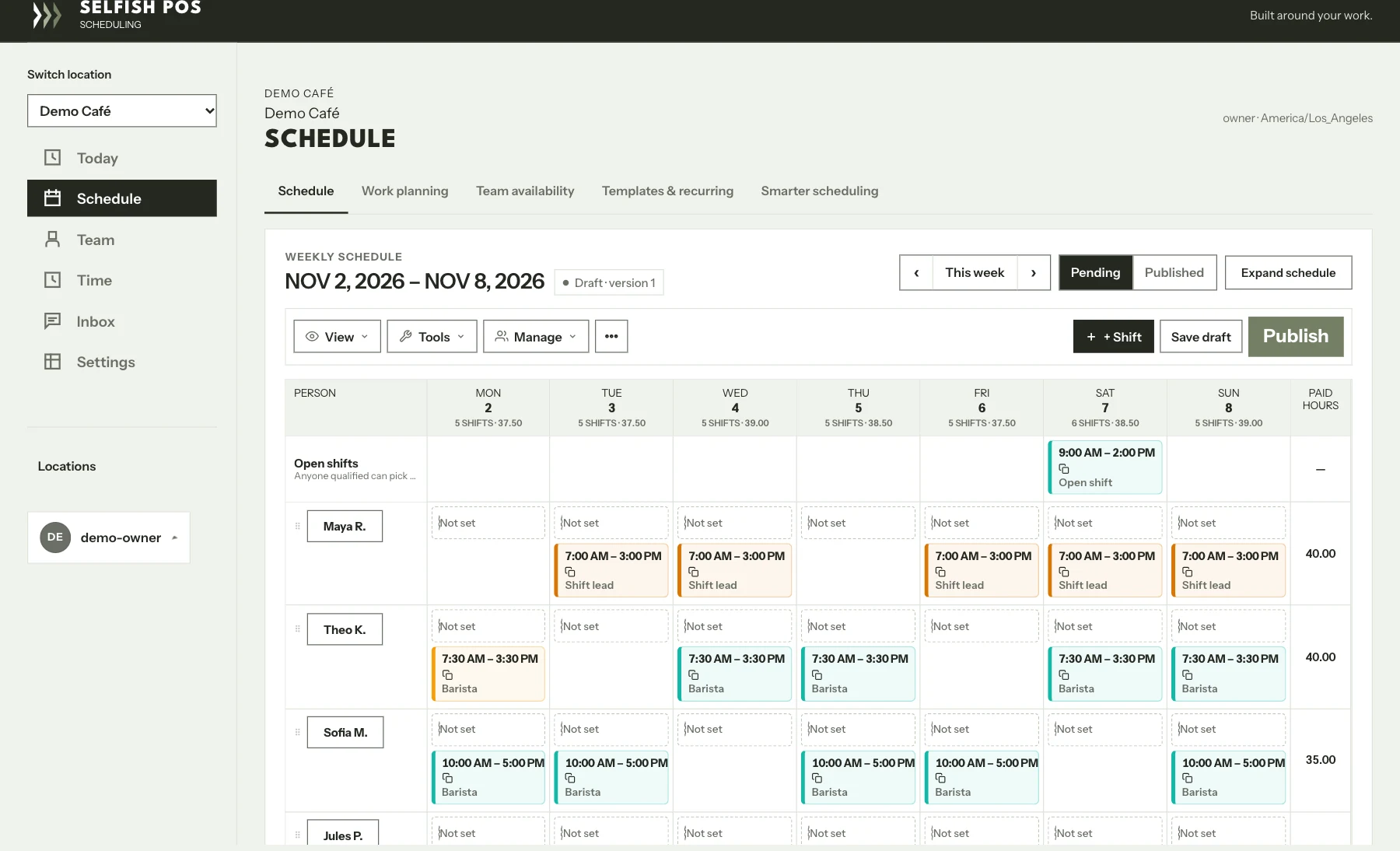
Scheduling in use
Built for real restaurant service
Hands-on setup in Greater Sacramento
01 / Selfish Scheduling
Know who’s on before doors open.
Build the week in one grid. See availability and approved time off, move shifts as plans change, then publish when the team is ready to see it.
- 01
Plan the week
See the people, positions, and locations behind every shift.
- 02
Review changes
Spot an open shift and check who’s available before you fill it.
- 03
Publish to your team
Keep draft changes private until you’re ready to share the schedule.
02 / Point of sale
One view for the rush. One for the office.
Ring up a check at the counter. Step into the back office to manage menus, orders, and reports. Here’s how those screens look in the Chariot build.
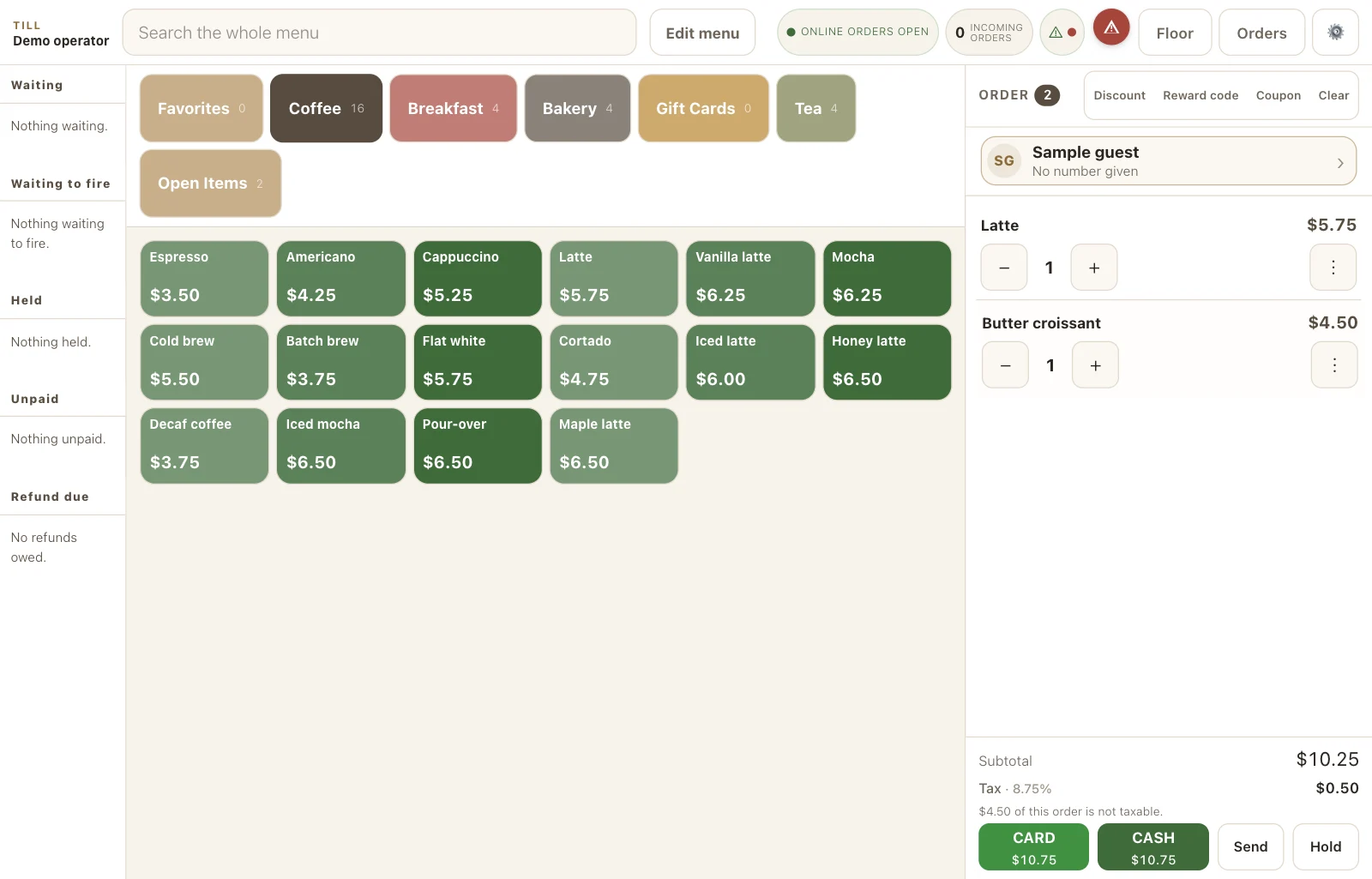
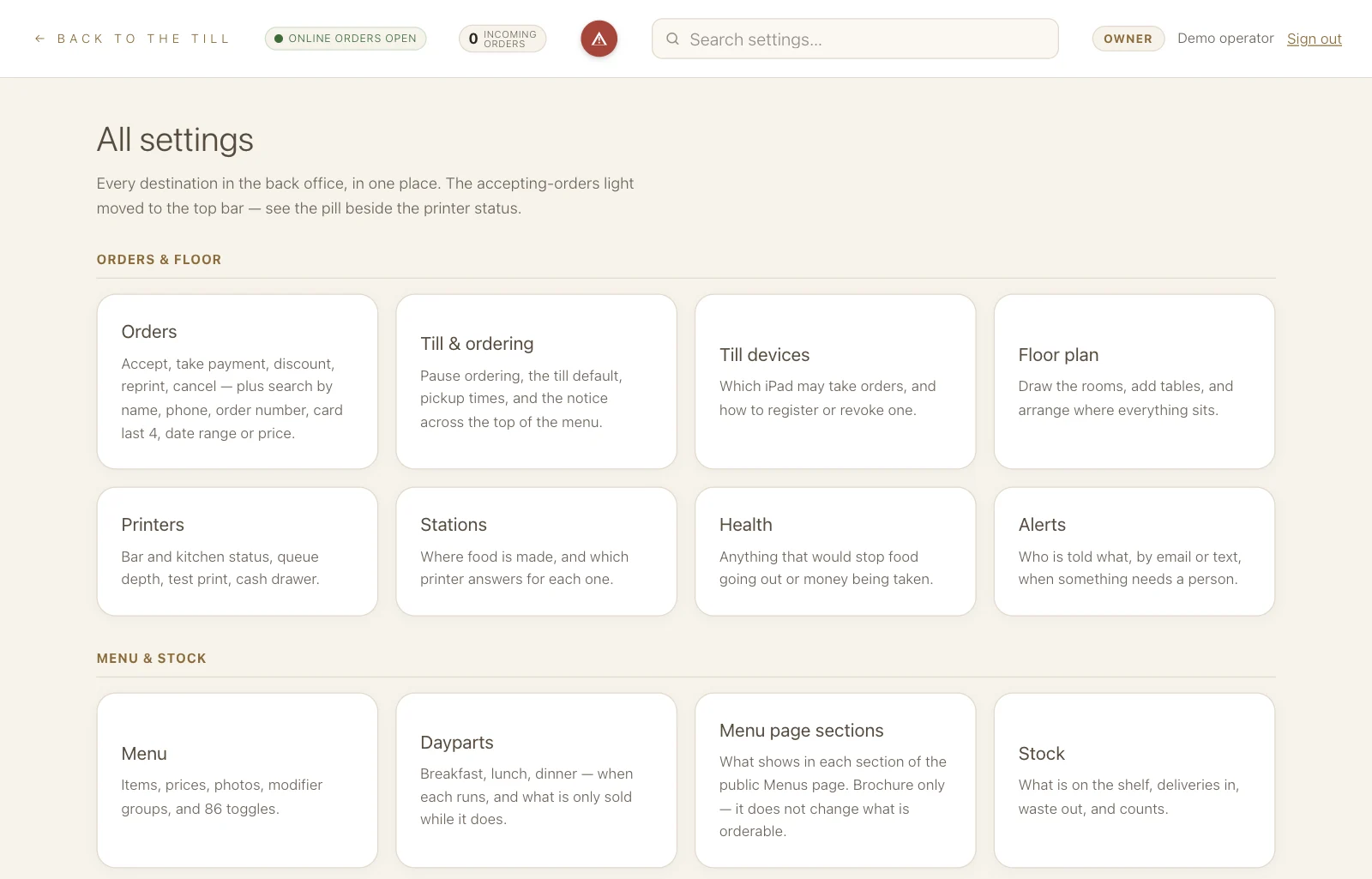
Screens from the working apps, shown with sample data.
Explore the till and back office
03 / Meet the founder
I work your floor first.
I’m Demetri Gregorakis, a Sacramento restaurateur. I’ll come in, watch a real shift, and see where the work gets stuck. Then I’ll tell you what I’d change, what I’d leave alone, and what it would cost.
Read the Toast cost comparisonA practical first step
Show me how you run a shift.
Start with a free review. If we’re a fit, I’ll come by, see how your team works, and tell you what I’d fix first.