
01 / Selfish Scheduling
Build the week with the whole floor in view.
Plan shifts, spot gaps, and share one published schedule with the people working it.
From draft to doors open
One week. Three clear steps.
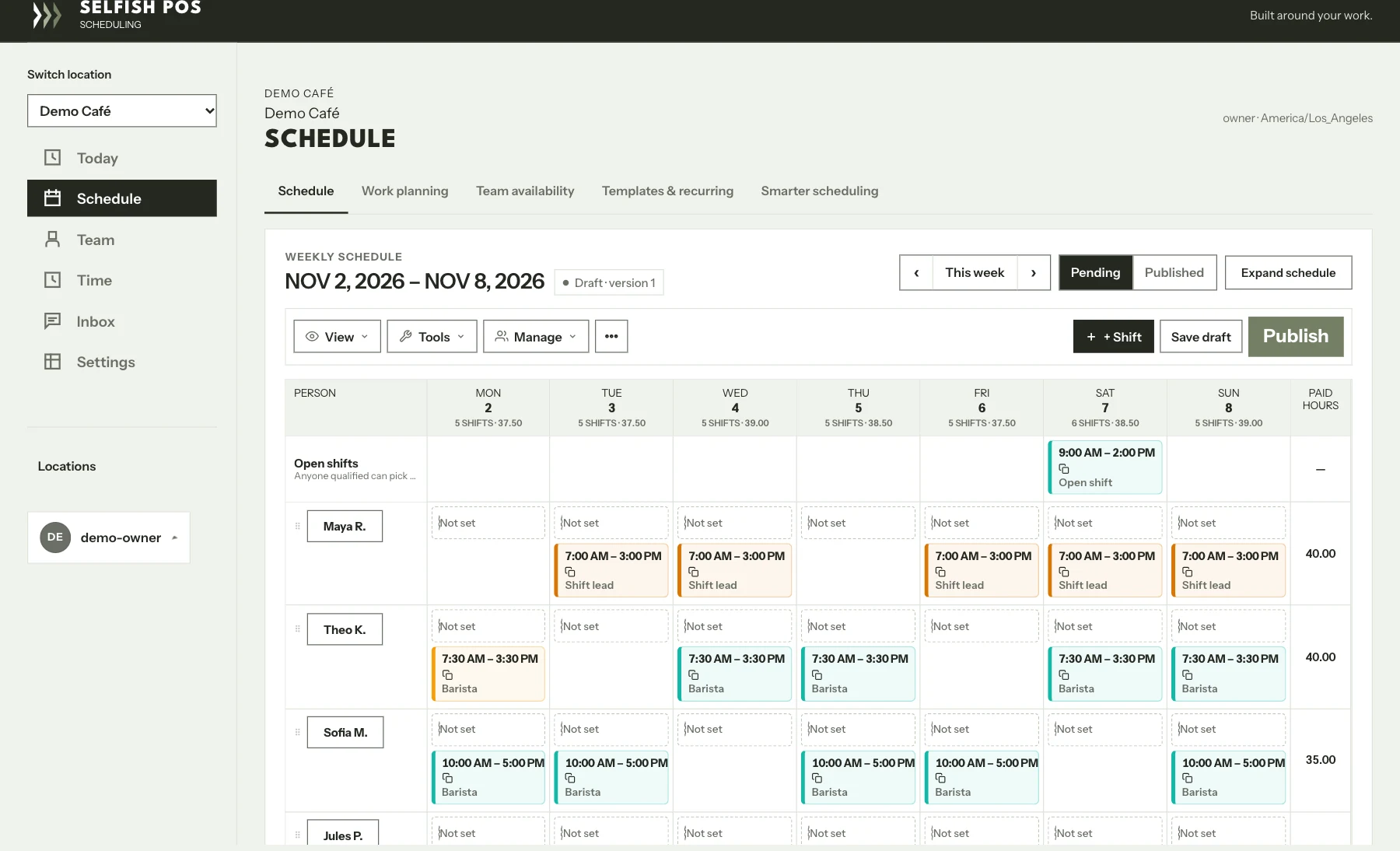
The weekly planner is already in use. The screen above shows the real grid with a sample café and sample shifts.
- 01 / Build
Start with the grid
Assign shifts by person and position. Move a shift on the grid, leave an opening to fill, or go fullscreen to see more of the week.
- 02 / Review
See who can work
Check availability and approved time off where you plan. Review shift coverage before the schedule goes out.
- 03 / Share
Publish on your terms
Save a draft while you’re working. Publish when it’s ready so team members can check their assigned shifts on their phones.
Already have a till?
Start with the week you need to fix.
Tell us how you schedule today and where it gets hard. We can walk through your weekly process and talk about where Selfish Scheduling fits.
See the Selfish POS tillA practical first step
Show me how you run a shift.
Start with a free review. If we’re a fit, I’ll come by, see how your team works, and tell you what I’d fix first.